Color Slide - Hexa Puzzle
- 4.6
- Rating
- 10.00M
- Installs
- Free
- Price
 Analysis by App-foxy
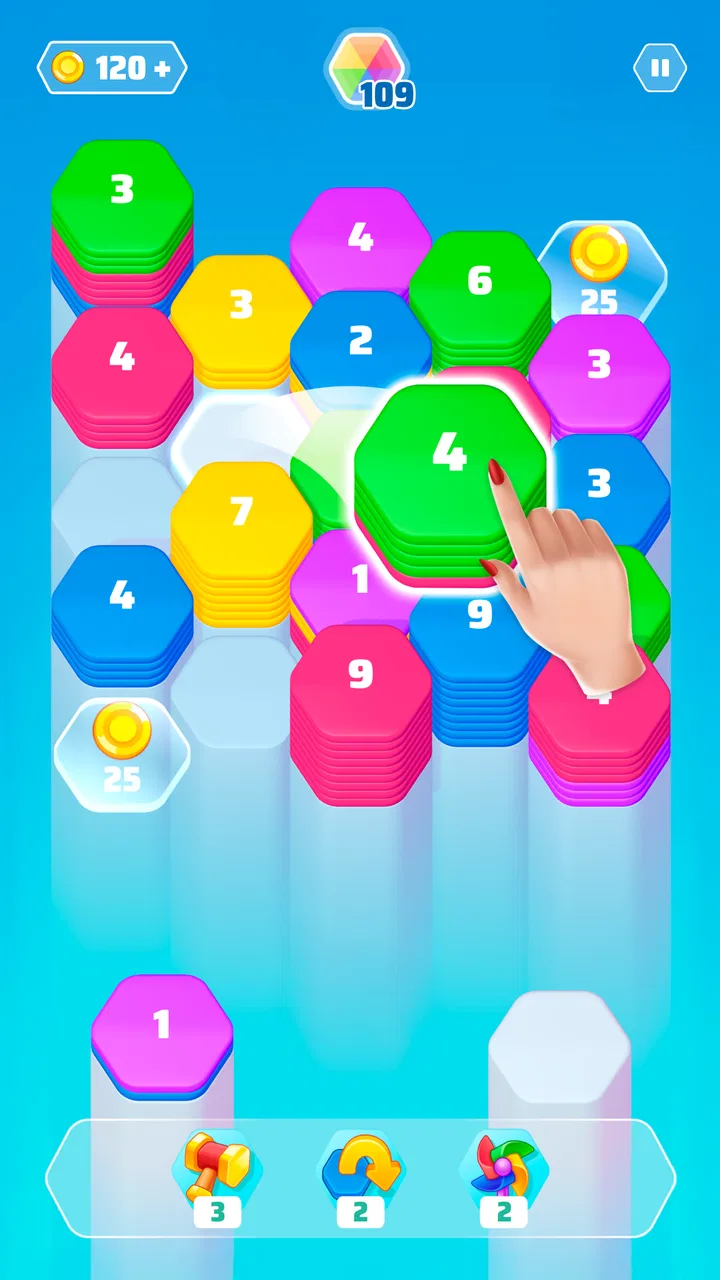
I found Color Slide - Hexa Puzzle easy to understand within a few minutes, but not so simple that it became empty or automatic. It is a free puzzle game from SayGames Ltd built around arranging, merging, and stacking colored hexagons. The basic idea is familiar enough for a quick start, yet the changing board layout makes each move worth considering. I would describe it as a calm, compact brain teaser rather than a competitive action game.
My first impression was that the game asks very little from the player before the puzzle begins. There is no complicated rulebook to study, and the central task is visible on the board. That makes it approachable for someone who wants a short mental break, especially when compared with puzzle games that introduce several systems, currencies, or objectives at once. At the same time, the visual focus on colored pieces means that the experience depends heavily on how comfortably each player can distinguish and follow the board.
How clearly the board communicates its puzzle
The strongest part of the design is its directness. I can look at the board and quickly identify the pieces that need attention, then think about where a move will leave space for the next one. The hexagonal format gives the play area a different rhythm from a conventional square grid. Neighbors meet at more angles, so a move that looks harmless at first can affect several possible combinations.
You May Also Like

 Blood Strike: 2.5 Anniversary
Blood Strike’s Loadouts Turn Every Drop Into a Tactical Gamble
A close look at Blood Strike’s custom loadouts: how fast access to signature weapons reshapes its battle royale rhythm, rewards preparation, and narrows the gap between fights.

 Pandora - Music & Podcasts
Pandora’s Music Is Easy to Start, but Harder to Recover
Pandora’s strength is its low-effort path from a seed to a station. Its weak spot is how much confidence it asks you to place in connection, setup, and quiet recovery.

 8 Ball Pool
 Is Built on Rivalries, Rematches, and Routine
A close look at the rivalries, rematches, shared routines, and unanswered safety questions that turn a quick pool match into a persistent mobile community.

 Samsung Music
’s Quiet Strength Is Playing What You Already Own
Its reach comes less from spectacle than from dependable access to a personal library. That simplicity is both the app’s strongest retention engine and its ceiling.

 AccuWeather: Weather Radar
AccuWeather Review: A Quick, Clear Forecast for Everyday Decisions
For everyday plans, the best forecast is the one you can understand quickly. AccuWeather makes rain timing, radar, and local conditions easy to act on, with a few trade-offs.

 Hill Climb Racing
Why Hill Climb Racing Still Turns Crashes Into One More Run
A tiny car, a bumpy hill and one more upgrade: Hill Climb Racing keeps resurfacing because its simple chaos makes every near-miss feel personal.
More From Our News Desk



That structure is useful for players who enjoy planning without wanting a long tutorial. I did not need to memorize a large set of commands. The game’s short description, “Color Slide,” also matches the immediate feeling of play: the focus is on moving colored shapes and reading the arrangement as it develops. The simplicity is not merely cosmetic, because the limited action set leaves more attention for spatial reasoning.
Navigation is at its best when the board is the only thing demanding concentration. A player can settle into a puzzle without learning a complicated menu structure first. This matters for people who are new to mobile puzzle games, older players who prefer a restrained interface, or anyone using the game as a brief transition between tasks. The Everyone content rating also makes it suitable for a broad audience, although suitability for all ages does not mean every player will find the visual presentation equally comfortable.
One practical habit improved my results: I stopped treating the first available match as automatically correct. Before sliding a piece, I scanned the open spaces and considered which placement would preserve the most options. On a hexagonal board, keeping a flexible area near the center can be more valuable than completing a small combination immediately. This is a small but important shift from reacting to the brightest or nearest move.
The game is also a good fit for people who like puzzles that can be understood through observation rather than text. If reading dense instructions is tiring, the central activity does not require much written explanation. However, visual simplicity should not be confused with universal readability. Small pieces, close colors, and a busy arrangement can still create difficulty for players with low vision, color-vision differences, or visual fatigue.
Color is helpful, but it should not be the only clue
Color is central to recognizing possible relationships between pieces, so I would recommend trying the game in the exact display conditions where you expect to use it. On a bright commute, a dim room, or a phone with a smaller screen, subtle differences may be harder to judge than they are in a comfortable indoor setting. I found that increasing attention to shape position and neighboring spaces helped, but that does not remove the underlying dependence on color.
This is one of the clearest accessibility trade-offs in the design. A board based on colored hexagons can feel immediately readable to one player and demanding to another. If you regularly struggle to distinguish similar hues, this may not be the most comfortable puzzle choice. A number-based logic game or a title that uses strong symbols alongside color would likely communicate more reliably.
Motor comfort and sensory demands during play
The interaction is suited to players who prefer deliberate touch gestures over rapid tapping. The puzzle does not present itself as a reflex challenge, so I could pause, inspect the board, and then act. That slower pace is helpful for people who find fast games stressful or who need extra time to plan a movement. It also makes the game more practical for a quiet break than a title built around constant reactions.
Still, sliding pieces requires a degree of touch control. Players with limited finger movement, tremors, reduced precision, or difficulty maintaining contact with a screen may find that an intended move is harder to perform than it looks. The hexagonal geometry can make placement feel less forgiving than a simple list or button-based interface, particularly when pieces sit close together. I would test the game with one hand and with the phone resting on a surface before deciding whether it feels comfortable for longer sessions.
A useful approach is to avoid gripping the phone tightly while solving. Supporting it with the other hand, or placing it on a table, can make careful swipes easier and reduce fatigue. I also found that shorter, controlled movements were preferable to dragging quickly across the board. This is not a formal accessibility setting, just a practical adjustment that may help players whose hand control varies from moment to moment.
For sensory comfort, the game’s puzzle format is naturally less intense than an action game. There is no need to track enemies, timers, or several moving objects at once. That can make it attractive to players who want low-pressure stimulation. However, the board still asks the eyes to compare colors, positions, and available spaces repeatedly. After several puzzles, the mental effort comes less from speed and more from sustained visual inspection.
I would therefore use it in short sessions if visual concentration tends to cause headaches or fatigue. The game works well as a few-minute activity, but its relaxing quality depends on the player’s own tolerance for repeated pattern checking. Someone looking for a genuinely screen-light way to unwind may prefer an audio activity, a text puzzle, or a physical game instead.
The sound experience also deserves a practical note: I would not choose this title solely for audio feedback. The important information is on the board, so the game is best approached as a visually guided puzzle. That makes it suitable for playing quietly in a waiting room or shared space, but less suitable for someone who needs spoken guidance or audio-first interaction. The game’s core logic is visible rather than narrated.
Why the hexagonal layout changes the learning curve
Players familiar with square-grid matching games may initially assume that the same habits will work here. They do not always transfer cleanly. Hexagons create more possible connections, which makes the board feel open at first but can also make future consequences less obvious. I learned to check the edges before committing to a central move, because a piece that appears isolated may be useful for keeping a lane open later.
Another helpful technique is to separate “progress” from “space management.” Completing a visible merge can feel satisfying, but using a move to prevent the board from becoming crowded may be the better decision. This is where the game becomes more than a color-matching exercise. It rewards players who can delay an obvious action and think about the next two or three placements.
That trade-off also affects different abilities. Players who enjoy spatial visualization may find the geometry engaging, while those who find multi-directional layouts confusing may prefer a more linear puzzle. The game does not need to be fast to be challenging; the challenge comes from holding several possible arrangements in mind.
Where it fits into everyday situations
I see Color Slide working particularly well in small gaps: while waiting for an appointment, during a short break from study, or when I want something more engaging than scrolling but less demanding than a full game session. Because the rules can be picked up quickly, I do not need to reserve a long block of time to enjoy it. That makes it approachable for casual players who may not want a story, a team, or a daily commitment.
It can also suit a shared household with different ages, since the content rating is Everyone and the central action is easy to demonstrate. A parent could explain the basic idea without teaching a complicated control scheme. That said, younger players may focus on immediate color combinations while experienced puzzle players may look for efficient space management. The same board can therefore support different levels of thought, even if the game remains accessible at the surface.
For people who use a phone in noisy or unpredictable environments, the visual nature of the game is convenient. I can play without needing to hear dialogue or follow a soundtrack. In a quiet environment, that same quality makes it unobtrusive. The main limitation is not sound but visibility: glare, a small screen, or poor contrast can matter more than background noise.
The game is less suitable when attention is frequently interrupted. If I leave a puzzle halfway through to answer messages or switch tasks, I may lose track of which spaces I was preserving and which move I was planning. That is common with strategy puzzles: the game does not demand speed, but it does reward continuity. Players who want something they can abandon every few seconds may find a simpler one-touch game more convenient.
It is also worth considering the device itself. The game supports Android devices running version 8.0 or later, and the current release is 1.23.0. That gives it a reasonably broad place among modern phones, but anyone using an older device should check compatibility before planning around it. On a small display, the board may require more careful touch placement and visual scanning than it would on a larger phone.
What the numbers suggest, and what they do not
The game has an average rating of 4.6 from around 289 thousand ratings, with about 1.6 thousand written reviews and over 5 million installs. Those figures tell me that it has reached a substantial audience and that the general response is positive. They do not replace personal testing, especially for an app where comfort depends on color perception, screen size, touch accuracy, and preferred puzzle style.
It is free to install, which makes trying it low-risk. There are in-app purchases ranging from $0.99 to $99.99 per item, so I would pay attention to the purchase flow if the phone is shared with children or if you prefer a completely uninterrupted free experience. The existence of optional purchases does not decide whether the puzzles are enjoyable, but it is relevant when choosing a game for family use or for someone who wants strict control over spending.
My advice is to treat the free download as a trial of both the puzzle and the interface. Play long enough to notice whether the colors remain comfortable, whether the board is easy to read on your device, and whether the sliding action feels precise. A high overall rating can show broad appeal, but it cannot tell you whether this particular visual language works for your eyes and hands.
Barriers that may matter before you choose it
The biggest remaining barrier is the reliance on visual grouping. If colors are difficult to distinguish, the game may become guesswork rather than logic. Even players with typical color vision can encounter trouble in dim lighting or with display settings that mute contrast. I would avoid judging it only in a store preview; the real test is whether you can identify pieces quickly without straining.
The second barrier is the absence of a naturally audio-first experience. Someone who needs spoken descriptions, tactile alternatives, or nonvisual confirmation may not get enough information from the board alone. I would not recommend it as a primary puzzle game for a player who cannot comfortably inspect colored shapes and positions on a touchscreen.
Touch precision is another consideration. A player with limited dexterity may be able to solve the logic but still become frustrated if a swipe does not land as intended. Resting the phone, using a larger display, and moving slowly may help, but these are workarounds rather than guarantees. If precise gestures are consistently uncomfortable, a puzzle controlled through larger buttons or keyboard input would be a better match.
There is also a cognitive trade-off that is easy to miss. The rules are simple, but the board can ask for forward planning. Someone with attention difficulties may appreciate the lack of rapid action, yet still find it hard to remember which spaces were being kept open after an interruption. In that situation, playing one short puzzle at a time and pausing at natural stopping points may work better than trying to maintain a long session.
Compared with classic match-three games, this title feels more spatial and less dependent on quick chains. Compared with Sudoku or nonogram puzzles, it offers more immediate visual feedback and less written structure. Compared with word puzzles, it avoids spelling and language barriers but increases the importance of color and touch. Those differences make the choice fairly clear: I would pick this game for visual organization and flexible spatial planning, not for deep deduction, vocabulary practice, or hands-free play.
Players who want a story, character progression, competitive ranking, or a large strategic system should look elsewhere. This is a focused puzzle experience. Its appeal comes from arranging the board, noticing consequences, and finding a satisfying placement—not from building a long-term world or mastering a complex collection of mechanics.
My inclusive verdict after using it
I enjoyed Color Slide most when I treated it as a quiet exercise in space management rather than a race to clear pieces. Its accessible rules, free entry point, and low-pressure format make it a sensible recommendation for casual puzzle fans, families, and anyone who likes to solve something during short breaks. SayGames Ltd has kept the central idea easy to approach while giving the hexagonal layout enough depth to reward patience.
Its inclusive qualities are real but limited. The game is visually uncluttered in concept and does not require rapid reactions, which benefits many players. Yet color recognition, small touch targets, and screen-based spatial scanning remain important. I would especially encourage players with visual or motor differences to test it in their usual environment rather than assuming that a simple rule set will automatically mean comfortable access.
My honest recommendation is to try it if you want a calm, visual puzzle that fits into spare moments, but skip it if you need audio-led play, strong non-color cues, or minimal touch precision. For me, the best use is a short session with the phone supported, the brightness adjusted to the room, and enough time to inspect the board before moving. That approach brings out the game’s thoughtful side and avoids turning a relaxing puzzle into an unnecessary test of eyesight or hand control.
As a free puzzle in the Everyone category, it earns a place on my recommendation list for the right audience. It is not universally comfortable, and it does not try to be a complete game for every taste. But when the colors are readable and the gestures feel natural, the hexagonal board offers a pleasant balance: simple to enter, interesting to plan, and easy to put down when the break is over.
FAQs for Color Slide - Hexa Puzzle
01What is Color Slide - Hexa Puzzle, and how does it work?
Color Slide - Hexa Puzzle is a vibrant and engaging puzzle game where players slide hexagonal tiles to match colors and solve puzzles. The game features a variety of levels, each increasing in complexity, requiring strategic thinking and pattern recognition to progress. It’s suitable for all ages, offering both casual play and challenging puzzles.
02Is Color Slide - Hexa Puzzle free to download and play?
Yes, Color Slide - Hexa Puzzle is free to download on both Android and iOS platforms. While the core gameplay is accessible without cost, the app offers in-app purchases for additional features, hints, or to remove ads. These purchases are optional, allowing players to enjoy the game fully without spending money.
03What are the system requirements for Color Slide - Hexa Puzzle?
To run Color Slide - Hexa Puzzle smoothly, your device should meet certain system requirements. For Android, it generally requires Android version 5.0 or later. For iOS, iOS 10.0 or later is recommended. Adequate storage space is also necessary to ensure optimal performance and to accommodate future updates.
04Does Color Slide - Hexa Puzzle require an internet connection to play?
Color Slide - Hexa Puzzle can be played offline, making it perfect for on-the-go entertainment without the need for a constant internet connection. However, certain features, such as in-app purchases or updates, will require connectivity. Playing offline also means fewer distractions from ads.
05Are there any accessibility features available in Color Slide - Hexa Puzzle?
Color Slide - Hexa Puzzle includes several accessibility features to enhance gameplay for all users. These may include adjustable difficulty levels, colorblind mode to assist with color differentiation, and customizable settings for sound and music. These features ensure that the game is inclusive and enjoyable for a diverse audience.
Pros
- Intuitive and easy-to-use interface.
- Challenging levels to keep you engaged.
- No intrusive ads during gameplay.
- Smooth performance with no lags.
- Appealing graphics with vibrant colors.
Cons
- Limited hints can be frustrating.
- Levels can feel repetitive over time.
- Requires internet for some features.
- No option for custom themes.
- In-app purchases can be expensive.

Color Slide - Hexa Puzzle
Gallery